Read the user manual here
Motivation
I do not like Google, so I did not want to use google drive on my phone. Hoewever, I run a Nextcloud server. So I would like to upload Camera photos, Screenshot and some Backup folders from my phone to the server, so that if I drop my phone, I will not be sadly reminded that my last manual backup phone was 6 Months ago, and all my lovely chats and pictures and whatnot are gone. This may or may not have happened to me recently.
Anyway, I was directly inspired by the Auto upload feature in the official Nextcloud Android app. It is hidden in the settings, but at some point the app used to suggest setting up auto uploads in a notifiation. I have used the official app for backups extensively for years, but never stoppped having performance problems with it, and it was a bad experience in general. It sometimes even seemed to soft-lock the entire nextcloud phone app, which then seemed to necessitate a data whipe, which then forced me to re-login to my multiple accounts, re-set-up all the many auto upload folders, and waiting for the phone to chug through them. This is something like half an hour of tedious work every time. Not sure if the app was to blame, maybe my Nextcloud was being wonky. Have not debugged.
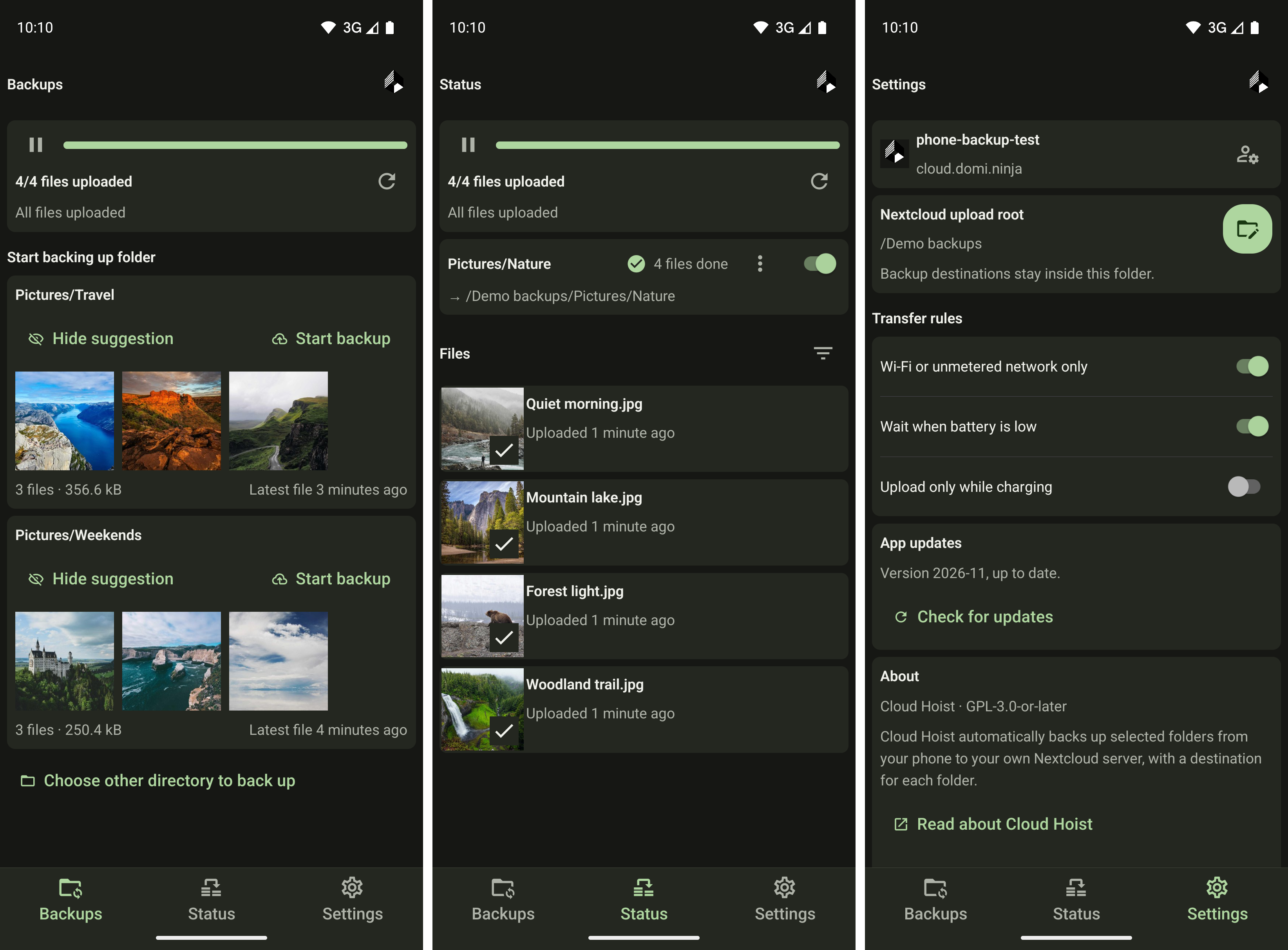
So anyway, I directed Codex to build Cloud Hoist (webdav auto uploader). The initial results were disappointing, I had to iterate on the UI/UX with a lot of prompts to get a functional and relatively user friendly version of this app working.
As the repo name implies, this app could also be adjusted to work with Webdav backends besides Nextcloud. I am happy to add this later or on PR.
Plans
The UI uses Expo and React Native. Kotlin handles file discovery, Android folder permissions, the persistent upload queue, and WebDAV transfers. The app is GPL-3.0-or-later, with no advertising or analytics.
F-Droid is the planned distribution channel. Packaging and reproducible-build checks are in place, but the app is not listed there yet. The repository has the source, build instructions, and signed reference APKs used for verification. It requires Android 10 or newer and a Nextcloud account.